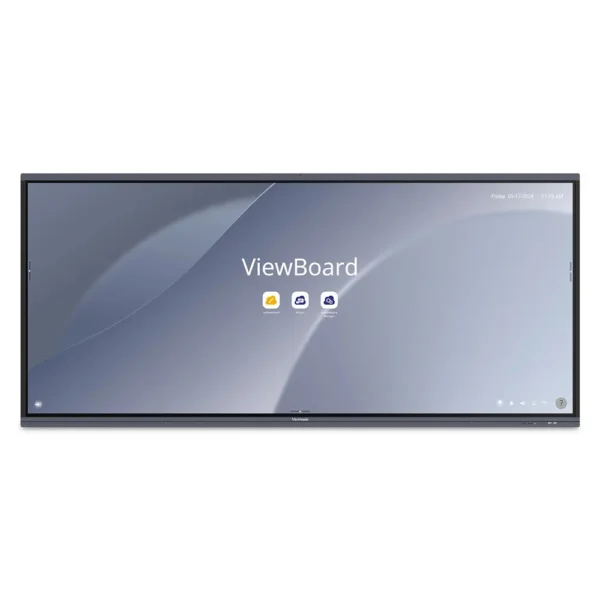

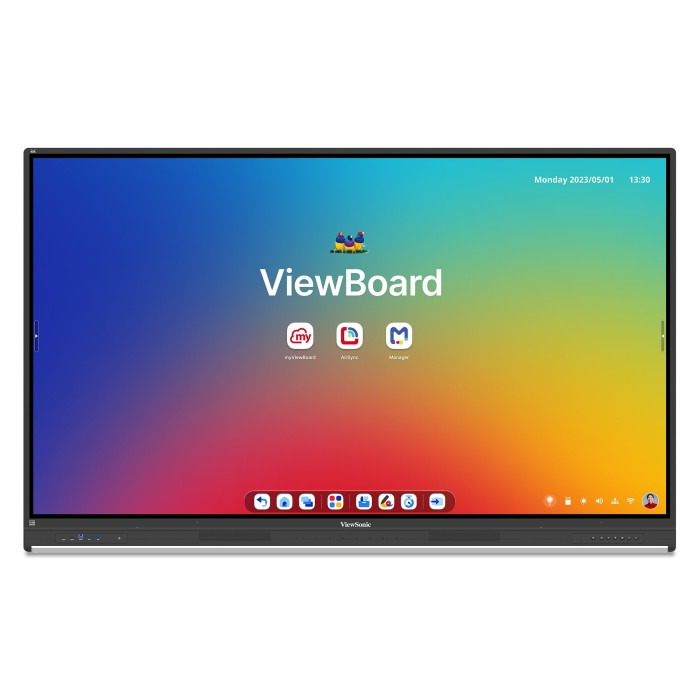
Viewsonic 86″ ViewBoard 4K Interactive Touchscreen Display
$9,999.00
Pay now, in 4 interest-free payments of $2,499.75, or over 3–6 months
4 interest-free payments of $2,499.75
Experience seamless collaboration with the Viewsonic 86" ViewBoard featuring 4K touchscreen, 40-point multi-touch, Android EDLA platform, built-in speakers, and powerful security features.
774 in stock
↗
Estimated Delivery Time15 - 16 Nov 26
Advanced Interactive Workspace
The Viewsonic 86" ViewBoard IFP8653 enhances collaboration and productivity with its expansive 4K Ultra HD touchscreen, supporting up to 40 touch points simultaneously. Whether used in classrooms or meeting rooms, it provides seamless interaction with styluses, fingers, or both for natural writing and drawing experiences.
Powered by the latest Android EDLA platform, it integrates effortlessly with Google and Microsoft 365 apps. Users access familiar productivity tools for real-time collaboration, enhancing remote and in-person teamwork.
Built-In Audio and Clear Communication
The display features powerful front-facing 52W soundbar speakers with a built-in subwoofer for immersive audio across the room. An 8-microphone beamforming array with noise cancellation captures voices clearly up to 26 feet away, ideal for video conferencing, hybrid meetings, and presentations.
Robust Security and Management
Designed with enterprise-level security, it offers automatic Google updates, Play Protect, data encryption, and two-way authentication to keep information safe. IT administrators benefit from centralized management through Viewsonic Manager, Google Workspace Enterprise Management, and Microsoft Intune for easy app deployment and device oversight.
Powerful Performance and Seamless Experience
An octa-core ARM Cortex CPU combined with 16GB RAM ensures smooth multitasking and fast response times. The display supports non-GMS (AOSP-like) modes for backward compatibility, maintaining workflow continuity without additional costs.
Eco-Conscious Design
The ViewBoard meets multiple energy efficiency standards including EPEAT certification, ENERGY STAR 8.0, and RoHS compliance. It helps organizations reduce power consumption while supporting environmental responsibility goals.
Key Specifications
- Display size: 86 inches (2.17 m)
- Resolution: 3840 x 2160 pixels (4K Ultra HD)
- Touchscreen: Infrared, 40-point multi-touch
- Processor: Octa-core ARM Cortex A73 + A53
- RAM: 16 GB
- Storage: 128 GB user memory
- Speakers: 2 x 20W + 20W subwoofer
- Microphones: 8-array beamforming with noise cancellation
- Connectivity: USB 3.2 (4 ports), USB-C (4 ports), HDMI 2.1 (4 inputs, 1 output), Ethernet, DisplayPort, RS-232
- Operating system: Android EDLA
- Power consumption: Typical 294.2 W
- Viewing angle: 178° horizontal/vertical
What's in the box
- Viewsonic ViewBoard IFP8653 interactive display
- 2 stylus pens
- USB cable (3 m)
- AC power cable
- HDMI cable
- Remote control
- Mounting kit
- User manual
Product FAQ
Frequently asked questions
01 What is the screen size of the Viewsonic ViewBoard IFP8653?
The Viewsonic ViewBoard IFP8653 features an 86 inch (2.17 meters) touchscreen display.
02 What display resolution does this interactive whiteboard offer?
It offers a 4K Ultra HD resolution of 3840 x 2160 pixels for sharp and clear visuals.
03 How many touch points does the display support simultaneously?
The display supports 40-point multi-touch, allowing multiple users to write or draw at the same time.
04 What operating system does the Viewsonic ViewBoard use?
It runs on the Android EDLA platform, ensuring compatibility with Google and Microsoft 365 apps.
05 Does the ViewBoard have built-in audio capabilities?
Yes, it includes a 52W front-facing soundbar with a built-in subwoofer and an 8-microphone beamforming array with noise cancellation.
06 How is security managed on this interactive display?
The display features automatic Google updates, Google Play Protect, data encryption, two-way authentication, and centralized device management options.
07 What connectivity options are available on the ViewBoard IFP8653?
It includes USB 3.2 Type-A and Type-B ports, USB Type-C ports with DisplayPort Alt Mode, HDMI 2.1 inputs and output, DisplayPort, Ethernet LAN, and RS-232 ports.
08 Is this ViewBoard suitable for remote collaboration?
Yes, it supports apps like Google Drive, Docs, Sheets, Slides, and Microsoft 365 suite along with built-in collaboration tools such as myViewBoard and AirSync.
09 What is the typical power consumption of this device?
The typical power consumption is approximately 294.2 watts, with a maximum of 591 watts.
10 Does the Viewsonic ViewBoard comply with energy efficiency standards?
Yes, it has EPEAT certification, an EEI F rating, ENERGY STAR 8.0 certification, and RoHS compliance.
Discussion
0.0
Based on 0 reviews
No reviews yet. Be the first to share your experience.