
It worked, but on a laptop not on a desktop with a mouse connected.
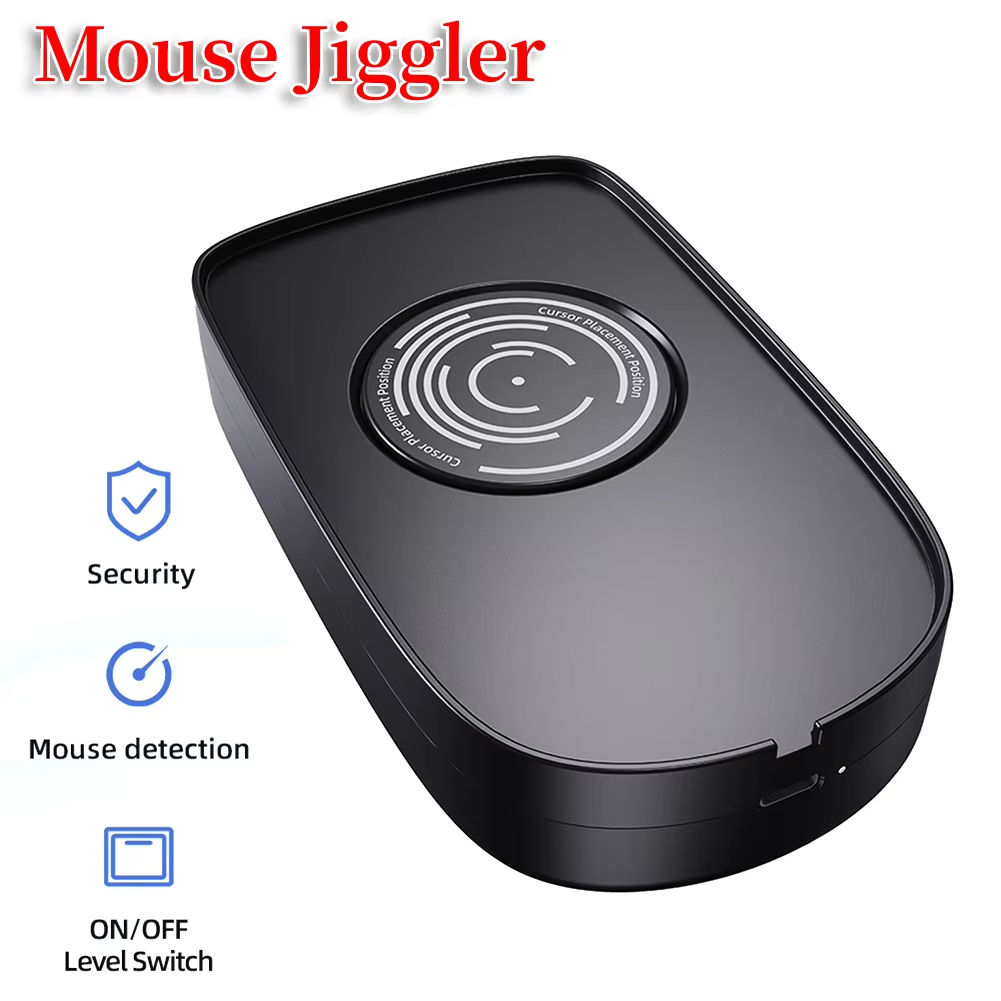
Prevent screen sleep by simulating natural mouse movement.
The USB Mouse Jiggler operates automatically to simulate minimal mouse movement, preventing your computer or laptop from entering sleep mode. Ideal for users who want to keep their device active without manual interference.
This device requires no drivers, supporting a wide range of operating systems including Windows (XP through 10), Mac OS, Linux, and Android. Simply connect it to any USB or USB-C port and start keeping your screen awake.
Compatible with most wired and wireless optical mice, it smoothly accommodates your existing mouse without modifications. Note: Not suitable for trackball mice.
Featuring a sturdy ABS construction in black, the mouse jiggler includes a large turntable and an easy-to-use 1/2 level ON/OFF switch for quick activation and power saving.
Power the device via your PC’s USB ports, external power adapters, USB hubs, or docking stations with included USB-C adapter ensuring versatile connectivity and operation.
It simulates mouse movement to prevent computer screens from sleeping and keeps the PC active automatically.
No, it uses a driver-free method and cannot be detected by IT departments.
It works with wired, wireless, and optical mice but is not recommended for trackball mice.
It is compatible with Windows XP/7/8/10, Mac OS, Linux, and Android systems.
No, it is driver-free and supports plug-and-play functionality.
It can be powered via the USB port of a computer, an external power adapter, or USB-C ports on PCs, laptops, hubs, or docking stations.
Yes, it has a 1/2 level ON/OFF switch for easy operation.
The size is approximately 142 x 83.5 x 32 mm (5.5 x 3.2 x 1.2 inches).
The mouse jiggler requires 5V 1A input power via USB.
Yes, the package includes one USB-C adapter for compatibility with USB-C ports.
It worked, but on a laptop not on a desktop with a mouse connected.
Perfect, works very well!