
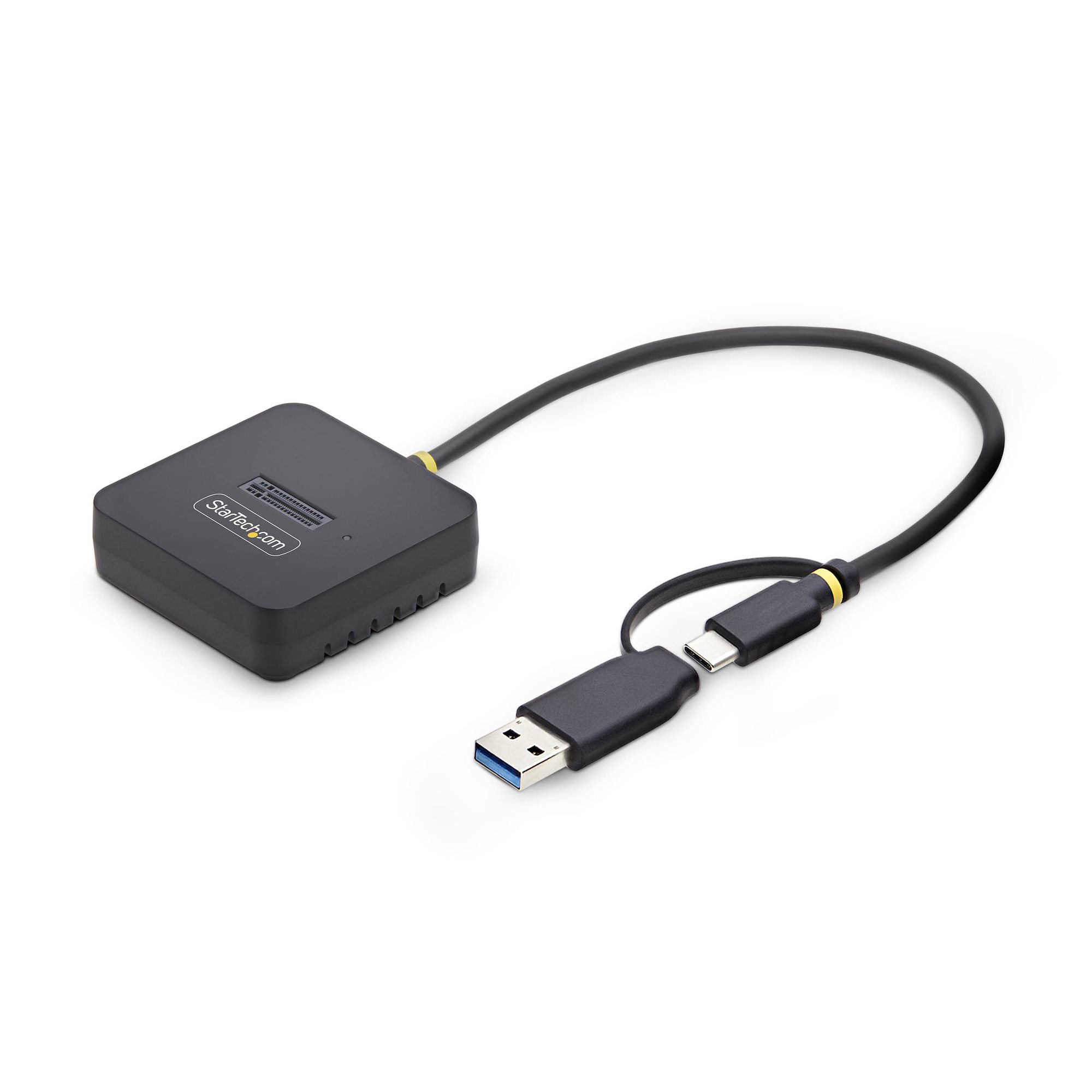
StarTech USB-C/USB-A to M.2 NVMe SSD Dock Adapter 10Gbps
$50.21
Pay now, in 4 interest-free payments of $12.55, or over 3–6 months
4 interest-free payments of $12.55
Access and manage M.2 NVMe SSDs easily via USB-C or USB-A with 10Gbps speeds. Portable, tool-free design supports B+M and M-Key drives.
1565 in stock
↗
Estimated Delivery Time19 - 20 Nov 26
Effortless High-Speed NVMe Access
Connect and manage your M.2 NVMe SSDs easily with a single USB-C or USB-A 10Gbps connection.
This dock enables fast read/write speeds ideal for data transfer, backups, disk imaging, and drive maintenance.
Universal USB Connectivity
Includes an integrated USB-C cable with a USB-A adapter for versatile connection to laptops and workstations.
- Supports USB 3.2 Gen 2 (10Gbps) interface
- Compatible with USB-C and USB-A ports
Open-Top Design for Optimal Cooling
The toaster-style slot keeps ample airflow for consistent performance and supports drives with heatsinks attached.
- Tool-free drive installation and removal
- Enhanced airflow prevents overheating during sustained workloads
Sustainable and Portable Build
Enclosure crafted from 70% post-consumer recycled plastics and packaged in FSC-certified plastic-free materials.
Lightweight design fits easily in IT toolkits or workspaces and operates on USB bus power without external adapters.
Key Specifications
- Storage media supported: M.2 NVMe SSD (B+M or M-Key)
- Maximum transfer rate: 10 Gbps
- Host interface: USB 3.2 Gen 2 Type-C with USB-A adapter
- Hot-swap supported
- Supports S.M.A.R.T. and TRIM
- Dimensions: 59 mm W × 40.37 mm D × 18 mm H
- Weight: 62 g
- Operating temperature: 0°C to 40°C
What's in the box
- StarTech USB-C to M.2 NVMe SSD Dock Adapter
- Integrated USB-C cable with USB-A adapter
- User guide
Product FAQ
Frequently asked questions
01 What type of SSDs does this dock support?
It supports M.2 NVMe SSDs with B+M or M-Key configurations. SATA-based M.2 drives are not supported.
02 What USB interfaces does the dock support?
The dock connects via USB-C and includes a USB-A adapter, both supporting up to 10Gbps data transfer speeds.
03 Is there any tool required to install the SSD?
No, the dock features a tool-free, open-top design for easy installation and removal of M.2 NVMe drives.
04 Can this dock support NVMe SSDs with heatsinks?
Yes, the open-top slot design provides ample clearance for NVMe drives that have attached heatsinks.
05 Does the dock require an external power supply?
No, it is powered entirely through the USB connection and does not need an external power adapter.
06 Is this dock portable for IT professionals?
Yes, its lightweight and compact form factor makes it easy to carry in IT toolkits or workspaces.
07 Does the dock support hot swapping of drives?
Yes, the dock supports hot swap functionality for M.2 NVMe SSDs.
08 What materials are used in the dock’s construction?
The enclosure is made from 70% post-consumer recycled plastic with a 35% PCR TPE jacket, contributing to sustainability.
09 Are there any indicators on the dock to show activity?
Yes, the dock includes LED indicators for status monitoring during use.
10 Is this dock compatible with SMART and TRIM commands?
Yes, it supports both S.M.A.R.T. monitoring and TRIM commands for SSD maintenance.
Discussion
0.0
Based on 0 reviews
No reviews yet. Be the first to share your experience.