It already includes the latest software update from February.
If you are looking for the most up-to-date one, this one fits the bill.
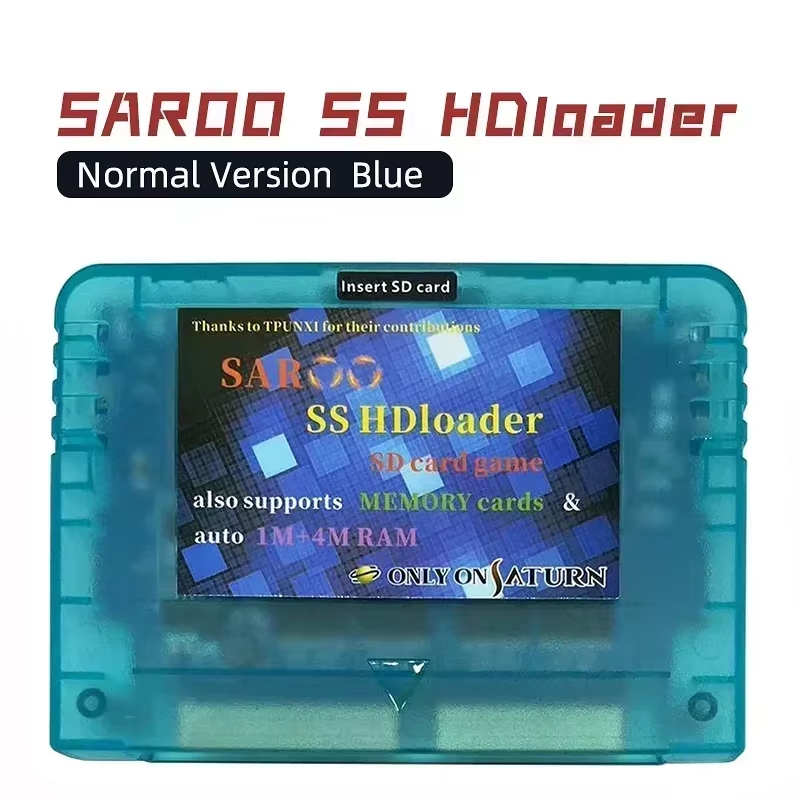
Upgrade your Sega Saturn gaming with the SAROO 0.9 firmware optical drive emulator. Compatible with SD and TF memory cards, it supports 1MB & 4MB RAM cards and over 95% of Sega Saturn games for a seamless retro experience.
SAROO 0.9 Firmware brings your Sega Saturn console into the modern era by replacing optical discs with SD/TF cards, eliminating disc swaps and enhancing reliability.
Enjoy over 95% compatibility with Sega Saturn titles and rapid load times thanks to high-quality components and optimized firmware.
SAROO supports multiple memory cards including system and external 1MB and 4MB RAM cards, enabling saved data compatibility for your favorite games.
Choose between the Elite version utilizing brand new original chips for maximum performance, and the Normal version with refurbished or loose new chips for cost efficiency.
Firmware can be downloaded or pre-installed on TF cards, with access to the latest 2025 version that supports self-upgrading from official sources.
It is an optical drive emulator that allows disc-less gaming on Sega Saturn by reading games from SD or TF memory cards.
SAROO supports over 95% of Sega Saturn titles, providing wide game compatibility.
SAROO supports SD and TF memory cards, including 1MB and 4MB RAM cards for saved data.
Yes, the firmware is customizable and self-upgradable through releases available online.
The Elite version uses brand new original chips for superior reliability; the normal version uses refurbished or loose new chips.
Place game image files in BIN/CUE format in an ISO folder on a FAT32 or exFAT formatted SD or TF card with the SAROO firmware folder at the root.
It is compatible with Sega Saturn consoles that support game cartridges, but insertion may require some positioning due to slot design.
TF cards with games can be included or obtained separately; the firmware can also be downloaded and installed on your own SD card.
The cartridge enclosure is made from plastic.
Yes, it offers very fast game reading speeds, improving load times compared to original optical drives.
It already includes the latest software update from February.
If you are looking for the most up-to-date one, this one fits the bill.
Works perfectly, plug and play, very simple.
The shipping was fast, and the packaging was very good.
The Saroo itself is good, but the microSD card that comes with it is of terrible quality!!! I had to buy a new, original microSD card to back up the content and transfer it to this new one!!! Only then was I able to play!!!
Works great some great games installed out the box.