Ultrafast shipping!
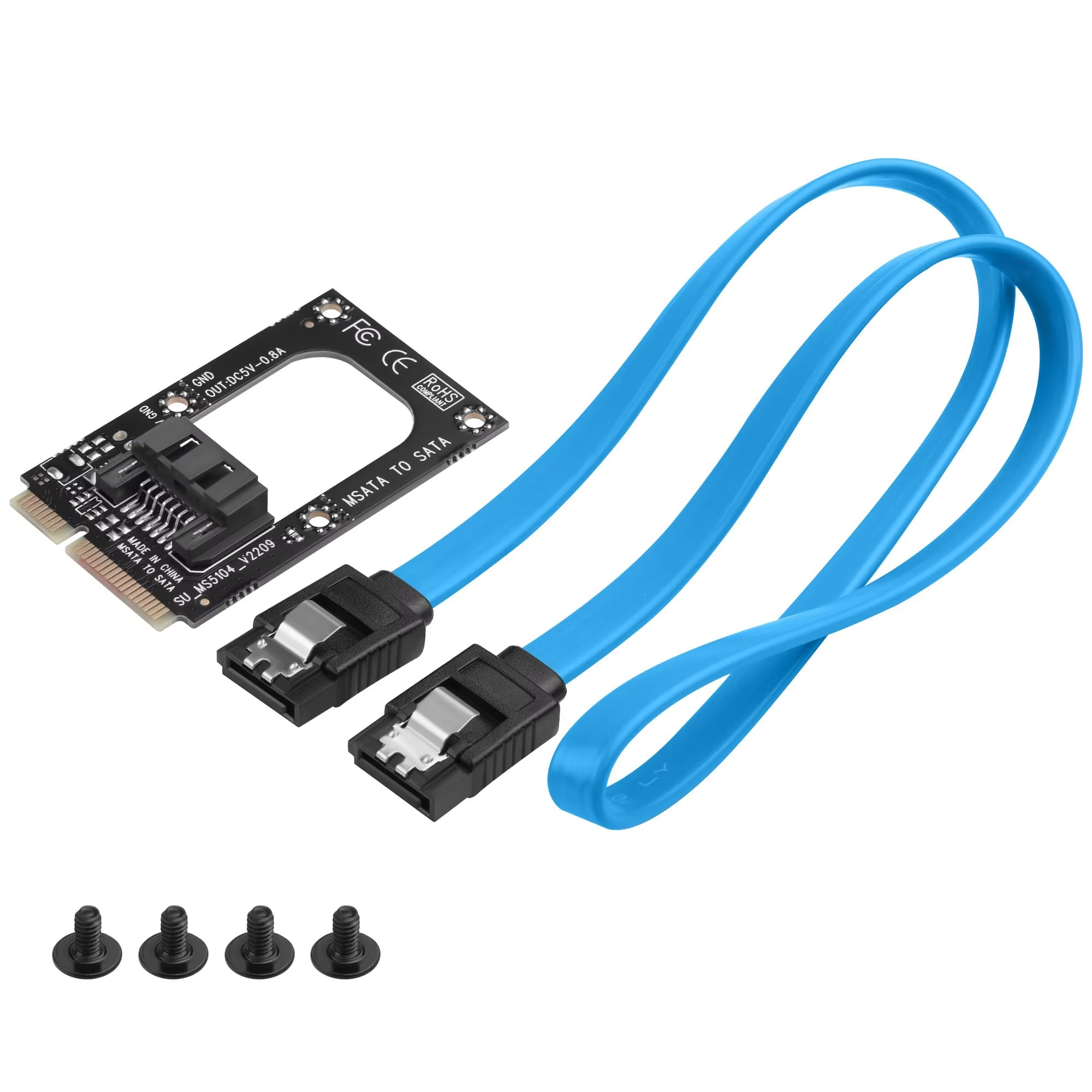
Convert your mSATA slot to a SATA 3.0 7-pin connector effortlessly with this plug-and-play adapter. Supports half and full-height SSDs. Includes SATA and 5V power cables.
185 in stock
Easily convert your system's mSATA slot to a standard SATA 3.0 7-pin interface. This adapter converts the signal from the mSATA connector to a 7-pin SATA connector without the need for drivers or software setup.
Designed for seamless internal installation, it offers compatibility with various SATA devices utilizing the mSATA interface, making expansions and upgrades straightforward.
Compatible with both half-height and full-height mSATA SSDs, the adapter lets you customize installation by cutting along a marked V-CUT line for half-height support, providing adaptability to different SSD form factors.
Supports Windows XP through Windows 8 (32/64 bit) and macOS 10.8 or later, ensuring broad operating system compatibility for diverse user needs.
The adapter package comes complete with a 40cm SATA data cable and a 50cm 5V SATA power cable, ensuring everything needed for immediate installation is included.
It converts the motherboard's mSATA slot signal to a SATA 7-pin connector, allowing connection of SATA devices via the mSATA interface.
No, the adapter works without the need for any drivers.
Yes, it supports both half-height and full-height mSATA SSDs. The half-height option is enabled by cutting along the V-CUT line on the PCB.
No, it supports host mSATA slots only and does not support Mini PCIe slots.
This adapter supports Windows XP, Vista, Windows 7, Windows 8 (32/64 bit), and macOS 10.8 or above.
Yes, it supports Apple MacBook Air SSD cards that use the mSATA interface.
No, it is not compatible. The Intel DN2800MT motherboard SATA 1 interface shares the same signal as mSATA, rendering this adapter incompatible.
The package includes one 40cm SATA data cable and one 50cm 5V SATA power cable.
The adapter connects signal only. Power is supplied through the included 5V SATA power cable.
The adapter is designed for internal installation inside the computer chassis.
Ultrafast shipping!