
Works perfectly on my playstation 2 fat! would buy again.
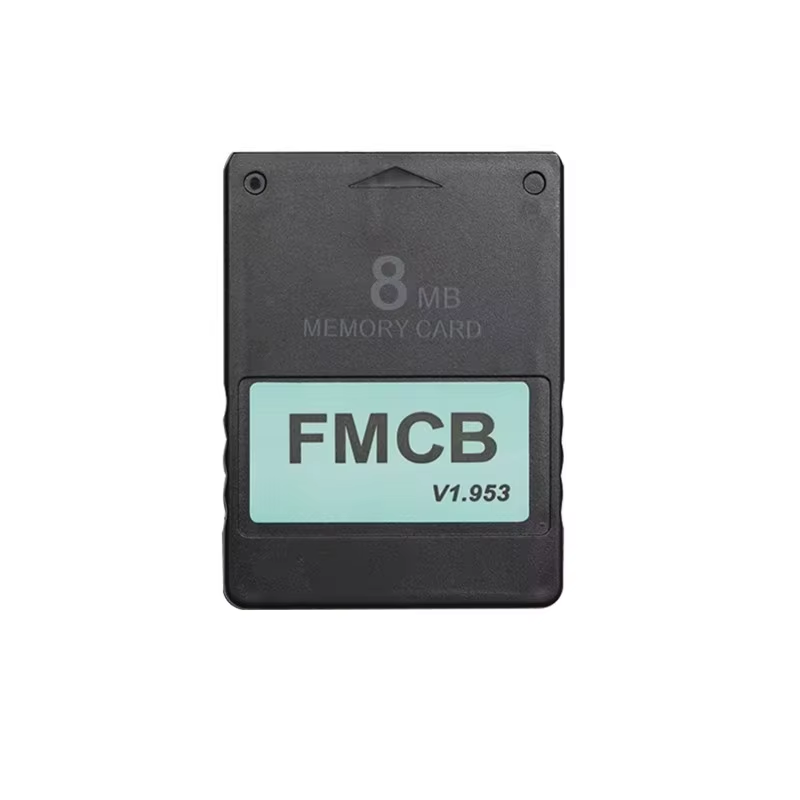
Quick plug-and-play Free McBoot memory card for PS2 consoles offering compatibility with OPL for backup games.
The FMCB Free McBoot memory card offers seamless integration with your PlayStation 2 console, enabling quick plug-and-play functionality so you can start playing immediately without software installation hassles.
Compatible with nearly all PS2 models (except SCPH-9XXXX with v230 BIOS), it removes region restrictions and supports consoles with or without CHIP MOD.
This FMCB card includes uLaunchELF, an advanced file manager and launcher with features like a text editor and hard drive management.
Open PS2 Loader (OPL) lets you play backup PS1 and PS2 games from internal HDDs, USB disks, or external hard drives, enhancing your gaming flexibility.
Install games directly to internal 3.5" IDE or SATA HDD with a compatible network adapter for fast and smooth gameplay.
Use USB drives formatted by USBAdvance to play games from external storage devices, expanding your library access.
If your PS2 does not detect FMCB, clean the gold connectors carefully and ensure the PCB board inside the memory card case sits flat and aligned.
Following these steps typically resolves connection issues without needing additional hardware modifications.
Compatible with all PS2 consoles except models SCPH-9XXXX with v230 BIOS.
No, FMCB supports use with or without a CHIP MOD on your PS2.
Yes, you can play PS1 games directly using Open PS2 Loader (OPL) included with FMCB.
You can play backup games from internal HDD, USB disks, or formatted USB hard drives using OPL or HDLoader.
Yes, it includes a Sample Media System to play DIVX, AVI, XVID, MPEG, MP3 files on your PS2.
Yes, it includes GameBoy, NES, and Genesis/Mega Drive emulators on 32MB and 64MB versions.
Check the connection and clean the gold fingers on the FMCB card’s PCB, then ensure the board is properly seated and flat inside the case.
Use software like WinHIIP on your computer to transfer games to the HDD, then play via OPL on your PS2 with a network adapter.
Format your USB drive via the USBAdvance app on your PS2, then burn games using USBAHD_GameInstall.exe on PC to play from USB.
No, only DVDs are supported for backup games; CDs are not supported for game backups.
Works perfectly on my playstation 2 fat! would buy again.
Personally, you always know how to configure things well and always know how to do it without any problems, thank you.
Excellent quality thanks
Ok
It boots, so far no problems, no games on so just the software. now all i need is a storage device for the ps2 games.