I was looking for a wired trackball, and I bought this product for its cost-effectiveness, and I'm using it very well now.
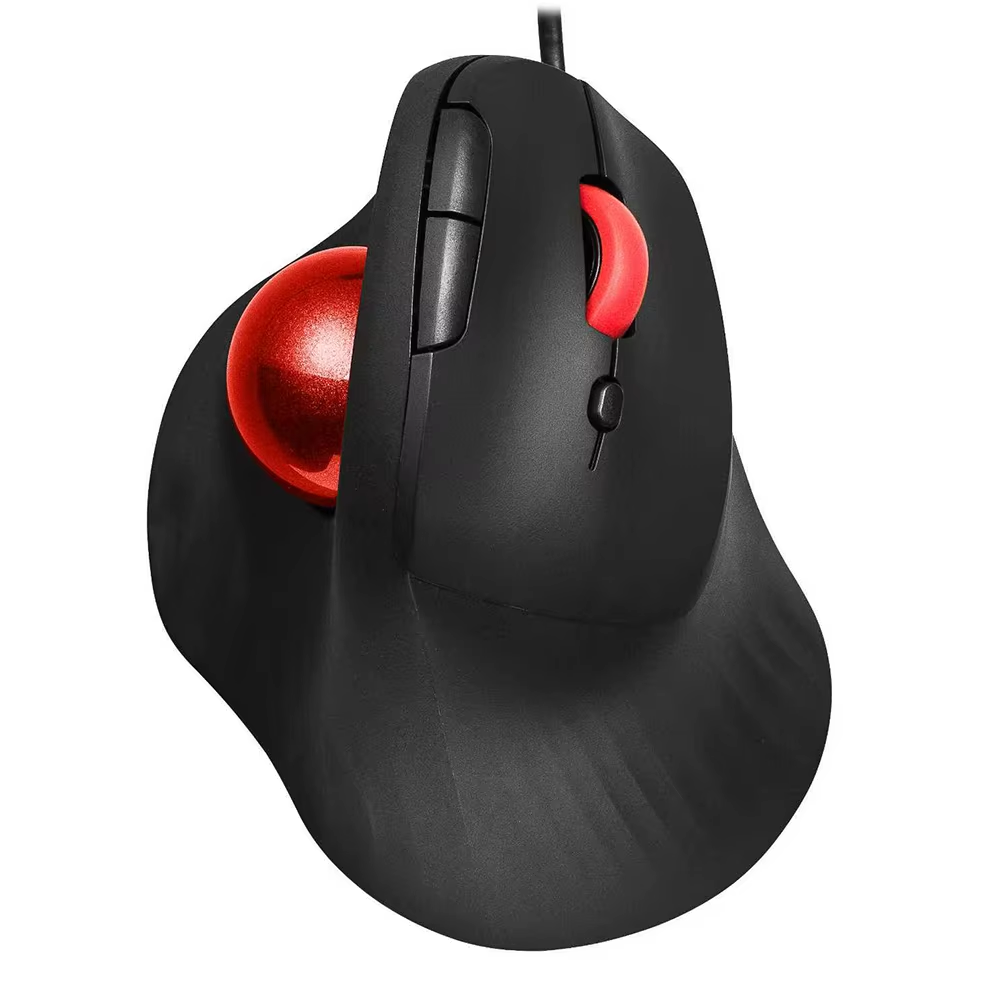
Ergonomic wired vertical trackball mouse with silent clicks and adjustable DPI levels for smooth precision control. Compatible with Windows 7 to 11.
The JOMAA wired trackball mouse places your hand in a natural wrist and arm position, reducing muscle tension and relieving fatigue and wrist pain.
Its vertical ergonomic design promotes smoother movement and comfort during extended use.
Featuring a 34mm blue trackball controlled by your thumb, allowing precise cursor movement without moving the entire mouse.
This trackball stays in place for easy use on any surface, including your lap or couch.
Equipped with noiseless left and right buttons, this mouse allows you to work or browse without disturbing others.
Perfect for quiet environments such as offices, libraries, hospitals, or late-night sessions.
Easily switch between 600, 800, 1200, and 1600 DPI to match different tasks like web browsing, image editing, and spreadsheet management.
LED flashes indicate the current DPI level for quick and clear feedback.
Compatible with Windows 11, 10, 8.1, 8, and 7, supporting most PCs, laptops, and desktop computers.
The included 2-meter USB cable ensures flexible desktop placement.
This mouse uses a USB wired interface for connectivity.
Yes, it is compatible with Windows 11 as well as Windows 10, 8.1, 8, and 7.
No driver installation is required; the mouse works plug-and-play.
The trackball is 34mm in diameter and is controlled by your thumb.
It offers adjustable DPI levels of 600, 800, 1200, and 1600 with LED indicators.
No, the left and right buttons have silent clicks, ideal for quiet environments.
The mouse comes with a 2-meter long cable.
The mouse is designed for right-hand use.
It has a total of 7 buttons.
Yes, the trackball allows smooth control on any surface including laps or couches.
I was looking for a wired trackball, and I bought this product for its cost-effectiveness, and I'm using it very well now.
Excellent product for design work, it works very well for me.
Arrived on the earliest possible date, good mouse, just need to get used to having the ball on the thumb. Very soft and pleasant texture, and the "clicks" are almost inaudible.
Good!!
What I didn't like. The ball rotates to the side, left and right, with some kind of jerky movements, twitching. Back and forth, up and down rotation is better.