Works perfectly, very good product and good value for money.
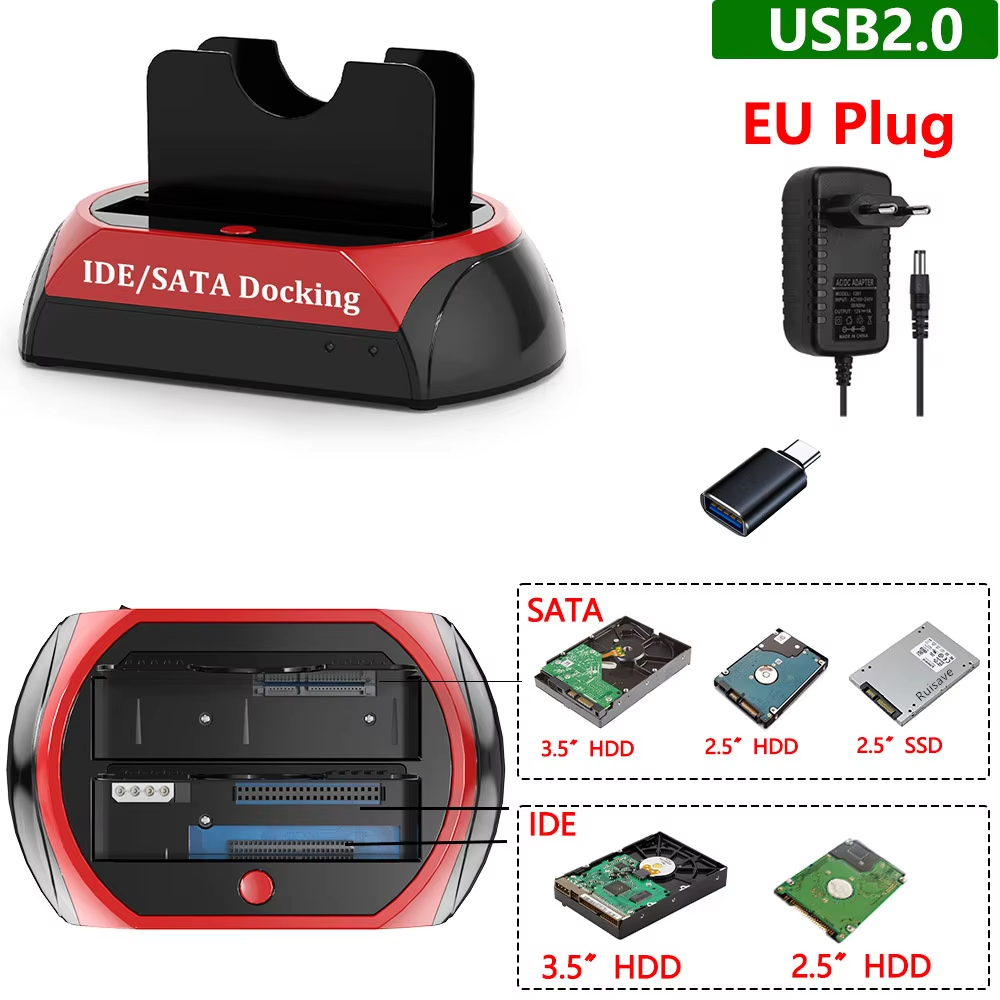
Dual interface docking station: Supports IDE and SATA hard drives and SSDs, with up to 10TB SATA capacity.
This docking station supports a wide range of hard drives, including 2.5 inch and 3.5 inch IDE and SATA (I/II/III) HDDs and SSDs. Models 01-30 feature one IDE and one SATA port working simultaneously, while models 31-35 provide two SATA ports for dual drive usage.
Compatible with Windows XP through Windows 11 (both 32 and 64 bit architectures) and Mac OS 10.10 or later. Also supports Linux and Mac OS with FAT32 and exFAT file systems, while Windows supports FAT32, exFAT, and NTFS formats.
Can be used as external storage with USB-C port smartphones, tablets, laptops via OTG adapters. It supports devices such as PS4 and PS5, but users should check device readable capacity limits.
Includes a one-touch backup button to copy data quickly from computer to external drives (software incompatible with macOS and iOS). For optimal performance, connect the docking station to the motherboard USB port directly and power on after connecting all devices.
Depending on the model, it supports either one IDE plus one SATA drive simultaneously or two SATA drives simultaneously.
Supports most 2.5 inch and 3.5 inch IDE and SATA I/II/III hard drives and SSDs.
Up to 10TB for SATA interface hard drives and up to 1TB for IDE hard drives.
Yes, compatible with Windows XP through Windows 11 (32/64 bit) and Mac OS 10.10 or later.
Yes, it works with USB-C port smartphones, tablets, and laptops via an OTG adapter.
Yes, it includes a one-touch backup feature, but it is not recommended due to slow speed; also, the backup software is not compatible with macOS or iOS.
Connect to the computer's main USB port directly linked to the motherboard for stable transmission.
Yes, hard drives should be gently inserted without force to avoid bending or misalignment.
No, do not replace hard drives when the device is operating.
Yes, some IDE drives may need jumpers to function properly.
Works perfectly, very good product and good value for money.
It fits perfectly with its characteristics, satisfied with the purchase.
Works very well
Working on Windows 11. Plug and play.
as per the order works very well