Works perfectly it has a very thin metal frame rest is made of plastic but for the money is very good
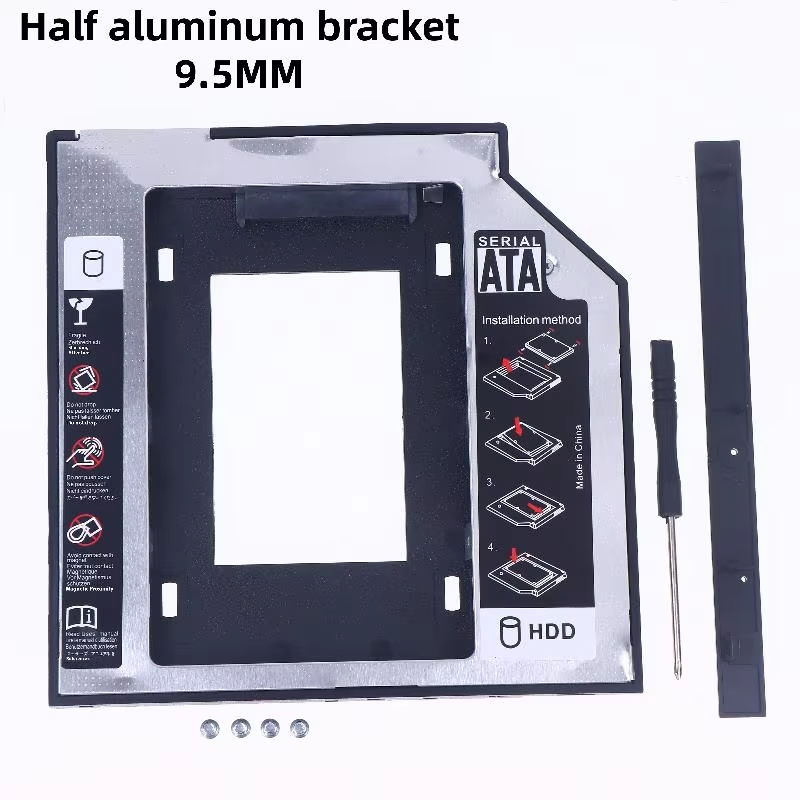
Durable SATA 3.0 enclosure fits 9.5mm or 12.7mm laptop optical drive bays.
This slim enclosure fits standard 9.5mm and 12.7mm notebook optical drive bays, allowing you to replace your CD/DVD drive with a second hard drive or SSD. Crafted from durable ABS and aluminum alloy, it offers a lightweight yet sturdy solution to boost your laptop's storage capacity.
Connecting easily via SATA 3.0, this caddy supports 2.5-inch SATA mechanical and solid-state drives with fast data transfer rates. It lets you leverage existing hardware interfaces without compatibility compromises.
You can install drives up to 3TB, enhancing your data storage significantly. Perfect for users looking to maximize laptop storage utilizing a spare optical bay slot.
Available with aluminum or combined plastic and aluminum construction, this enclosure balances durability with a sleek appearance, matching most laptop designs.
This enclosure supports 2.5-inch SATA interface mechanical hard drives and solid-state drives.
Two sizes are available: slim 9.5mm and standard 12.7mm to fit different optical drive bays.
It features a SATA 3.0 interface for fast data transfer compatibility.
It is suitable for 9.5mm and 12.7mm thick SATA interface optical drive slots commonly found in notebooks.
It supports hard drives and SSDs up to 3TB maximum capacity.
The enclosure is made from ABS plastic combined with aluminum alloy for lightweight durability.
It comes as a single set containing one enclosure.
The product type is for 2.5" SATA drives; mSATA compatibility is not specified.
Installation details are not provided, but typically, standard tools are needed to secure the drive inside the caddy.
Color may slightly vary due to lighting and monitor display, but no specific color options are detailed.
Works perfectly it has a very thin metal frame rest is made of plastic but for the money is very good
Even though it's an item that only a few people like me would buy, the overall unit price has increased compared to before, and the delivery time from customs to arrival has become faster.
The item arrived quickly, but the design has a major flaw. As shown in the instructions, the hard drive is supposed to be secured using 4 screws directly on the bottom of the caddy.
The problem is that these screw heads stick out from the flat surface of the caddy, which increases its overall thickness—whereas a stock optical/dvd drive never has protruding screws on the outside.
Interestingly, the internal side screw holes are present inside, but the outer frame isn't pre-drilled to match them properly, and the included screws are too short anyway. I have bought similar caddies before where manufacturers managed the internal side-mounting much better.
Easy to install works. ps- u can use the dvd cable for data connection
good purchase