Working great, nice build quality and easy setup following the details on the website.
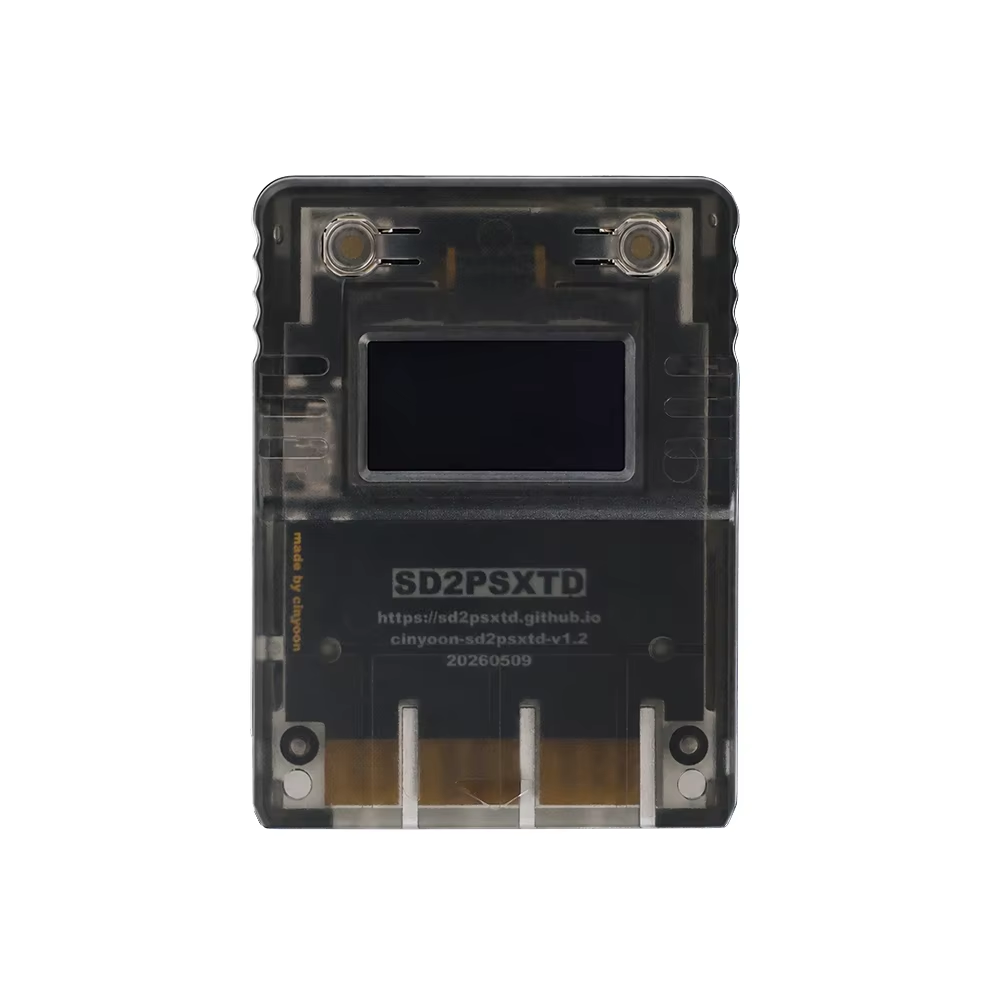
Modern memory card emulator for PlayStation consoles with microSD save storage, OLED display, and USB-C firmware upgrades.
This LinkRetro OLED memory card emulator offers a modern way to save and manage your PlayStation game saves using a microSD card instead of multiple traditional memory cards. It supports PlayStation One, PS1, and PS2 consoles, providing seamless compatibility with standard memory card functions.
Powered by the open-source SD2PSX hardware and enhanced sd2psXtd firmware, it combines ease of use with advanced retro gaming features.
Enjoy multiple virtual memory card slots with flexible save storage and organization. The built-in OLED display provides clear status readouts and menu navigation, controlled via convenient push buttons on the front.
Firmware upgrades through USB-C keep your device updated with improvements, while compatibility with homebrew applications unlocks new possibilities for retro gaming enthusiasts.
The emulator is designed with a durable ABS plastic enclosure, ensuring long-lasting use in your gaming setup. Its compact, portable form fits perfectly into your console's memory card slot, bringing convenience without sacrificing function.
The emulator supports Sony PS One, PS1, and PS2 consoles and any system compatible with PS1/PS2 memory card functions.
No, the microSD card, USB-C cable, game files, console, and controller are not included and must be obtained separately.
Firmware updates are done via the USB-C port, allowing easy upgrading or reinstalling of enhanced features.
It features a built-in OLED display that shows device status and menu information for easy navigation.
Yes, it supports multiple virtual card functions and flexible memory card management for retro gaming.
Yes, the device uses open-source hardware and firmware, allowing advanced users to customize and maintain it.
It supports advanced homebrew uses such as FreePSXBoot, FMCB, PS2BBL, OpenTuna, and other compatible PS1/PS2 homebrew methods.
No, it replaces traditional memory cards by storing all saves on a microSD card.
The enclosure is made of acrylonitrile butadiene styrene (ABS), a durable plastic.
Control is via push buttons on the device for quick menu navigation and setting adjustments.
Working great, nice build quality and easy setup following the details on the website.
Awesome! It works really well.
Memory card works as advertised. once sd card goes into the slot, it doesn't stick out enough for easy access to pull out the card. i had to get fine tweezers to pull out it out. it's really annoying if your transferring the card between the memory card and your pc. it could have been the type of sd card i was using so ymmv.
very good product
Arrived well packaged.
And as soon as I received it, I went to install the latest firmware and didn't press the boot button, I pressed the two buttons below... result: I think I killed it! That's why I was sad... my fault.