I haven't tested it yet, but it seems to be good.
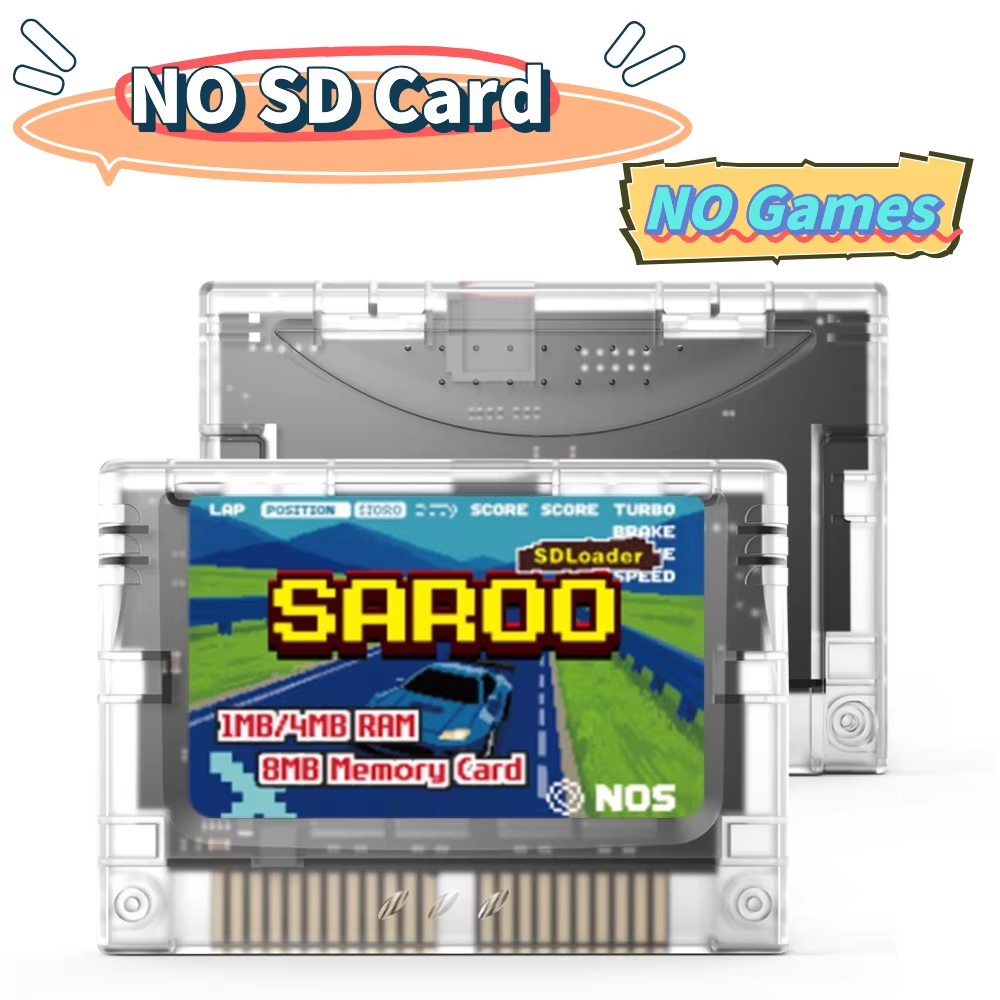
Experience seamless Sega Saturn gameplay with SAROO's open-source optical drive emulator featuring SD card support and built-in virtual memory.
SAROO is a fully open-source optical drive emulator designed specifically for the Sega Saturn. It allows users to load games directly from an SD card, eliminating the need for original discs and offering a seamless gaming experience for both enthusiasts and developers.
Whether you're revisiting classic titles or creating homebrew, SAROO provides a versatile, user-friendly platform to enhance your Saturn gameplay.
Enjoy cross-region gameplay without limitations. SAROO unlocks regional game restrictions, supporting EU, NA, and JP Sega Saturn models.
It features a built-in 8MB virtual memory card, plus optional RAM acceleration cards with 1MB or 4MB of memory, ensuring fast and reliable game save management.
SAROO supports multi-disc Sega Saturn games, enabling smooth transitions between discs during play. It also allows running of burned disc games from the SD card storage.
This flexibility broadens your gaming library and preserves your original game discs.
Regular firmware updates enhance SAROO's compatibility and performance. The current firmware supports 14 system languages, and a comprehensive update tutorial aids easy installation.
Customize your system menu background, music, and display game covers for a personalized gaming interface.
SAROO hardware includes an STM32H750VBT6 MCU and EP4CE6 FPGA, designed for stability and performance.
The emulator features push-button media controls and an acrylic enclosure, combining durability with user-friendly operation.
The SAROO emulator is designed exclusively for the Sega Saturn console.
Yes, the SAROO emulator supports multi-disc games, enabling you to play titles requiring disc swaps.
Games are loaded from a micro SD card, allowing seamless gameplay without original discs.
Yes, the SAROO unlocks game region restrictions, compatible with EU, NA, and JP Sega Saturn versions.
It features an 8MB built-in virtual memory card plus additional 1MB or 4MB RAM acceleration options.
Yes, the emulator supports firmware upgrades and includes 14 system languages for customization.
Yes, users can customize the system menu background, music, and display game covers.
It has an acrylic enclosure and media control type buttons with push-button operation.
SAROO uses an STM32H750VBT6 MCU and EP4CE6 FPGA as its core hardware components.
Yes, SAROO is fully open-source, with firmware and documentation available online for developers and users.
I haven't tested it yet, but it seems to be good.
I'm going to the Flamengo games and I won't have to go to the doctor and I won't have to go to the doctor and I won't have to go.
It worked perfectly.
Easy to use and comes with many games.
The purchase was well worth it.
It didn't work for me! I tested 2 SD cards formatted in FAT32 and both caused the BIOS screen to freeze.
Absolutely awesome works great and brings back memories