Adapter works, at least the pci-e part that is since i don't have a sata sad, but i only needed the pci-e part in the end
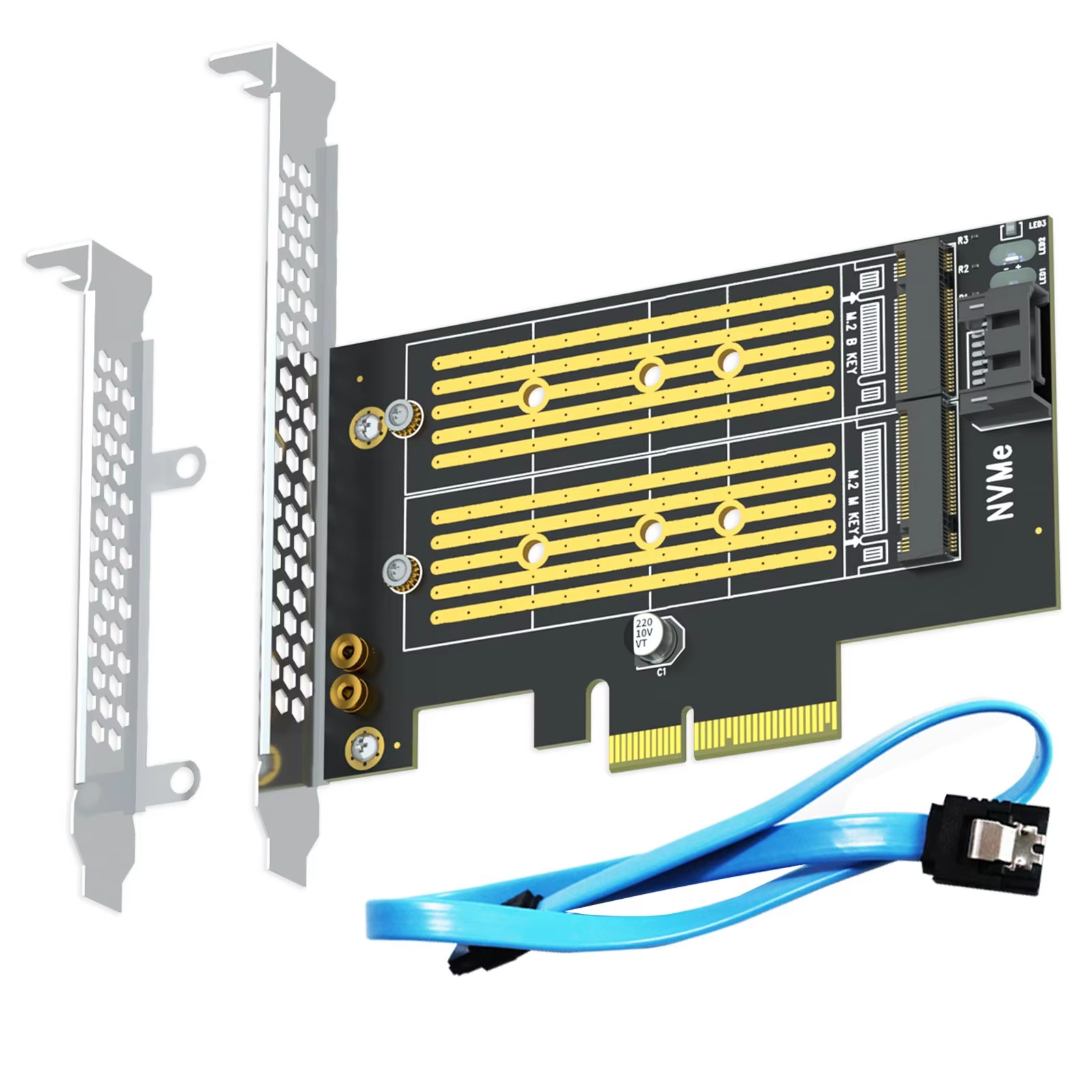
Install one M.2 NVMe SSD and one M.2 SATA SSD simultaneously with independent data channels for optimal performance.
52 in stock
This adapter card allows you to install one M.2 NVMe SSD and one M.2 SATA SSD simultaneously, maximizing storage options for your PC. The NVMe SSD is installed in the lower M Key slot, while the SATA SSD fits in the upper B Key slot.
The NVMe SSD connects directly to the PCIe x4 interface ensuring fast data transmission. The SATA SSD uses the SATA III interface, requiring connection to the motherboard via the included SATA cable. Both SSDs operate on separate, independent data channels for optimal performance.
Designed for internal PCIe slots, this adapter integrates seamlessly into your computer system without requiring external power or complex setup. The installation is straightforward and maintains system stability.
Manufactured with attention to quality, this adapter holds CE and WEEE certifications, ensuring compliance with safety and environmental standards.
It supports one M.2 NVMe SSD installed in the M Key slot and one M.2 SATA SSD installed in the B Key slot.
The NVMe SSD connects directly via PCIe x4 interface, while the SATA SSD connects through the SATA III interface using the included SATA cable.
Yes, a SATA cable is included for connecting the SATA SSD to the motherboard.
No, only one NVMe SSD and one SATA SSD are supported simultaneously by this adapter.
The NVMe SSD is installed in the lower slot, designated as M Key.
The SATA SSD is installed in the upper slot, designated as B Key.
The adapter is designed for internal installation and does not require an external power source beyond the PCIe slot and SATA connection.
It requires a motherboard with a free PCIe slot and an available SATA interface for full functionality.
This adapter is CE and WEEE certified according to supplied data.
It is intended for internal installation inside a computer case.
Adapter works, at least the pci-e part that is since i don't have a sata sad, but i only needed the pci-e part in the end
Item as described, although not tested ... busy busy busy, looks okay
I did make the purchase...
It's a bit of a shame to use just one SATA port.
It's NVMe, but that's because it's PCIe anyway.
NGFF is very disappointing...
As described
Would have been nicer to show that it actually requires a full size pcie slot however is fully functional, many thanks