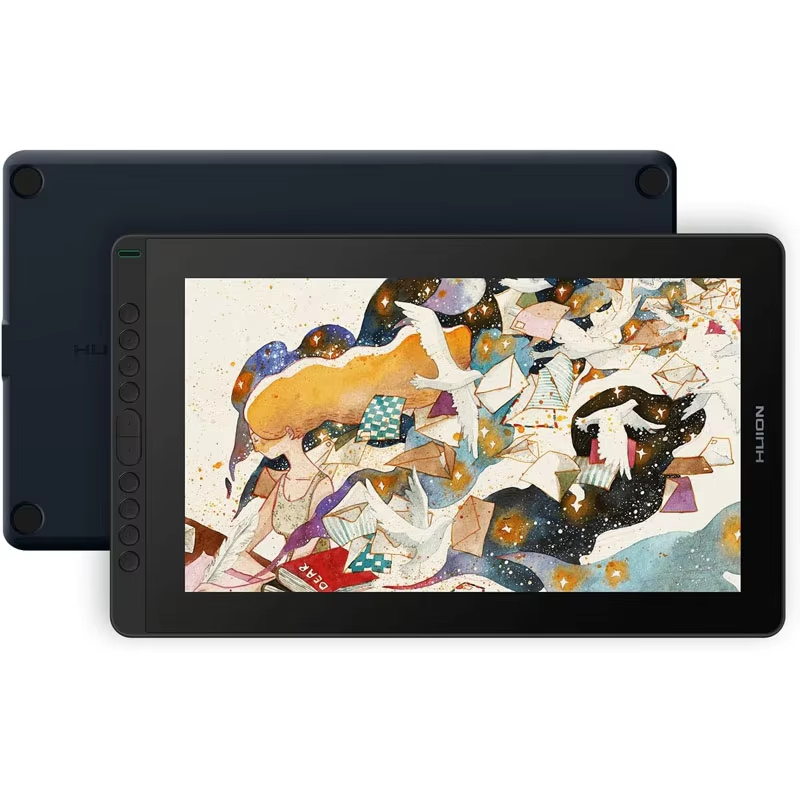
Love it!! it works perfectly you just need to understand how it works- if you have a pc, connect all 3 in 1 cables into the pc (red cables to the power adapter, including the usb to usb adapter/extender) hdmi and black usb to the motherboard, the type c into the tablet facing upwards, and red into the power adapter. then install the right huion driver on the pc (just search huion kamvas 16 2021 driver install) and make sure once it recognizes your pc click "working area" when you open the driver to edit the settings of your tablet, and press the 2nd monitor aka the tablet screen. pretty easy install, very convenient for drawing, easy to understand... size is decent but perfect if you want a big size but have no space on the desk!!! best budget screen tablet in my opinion.
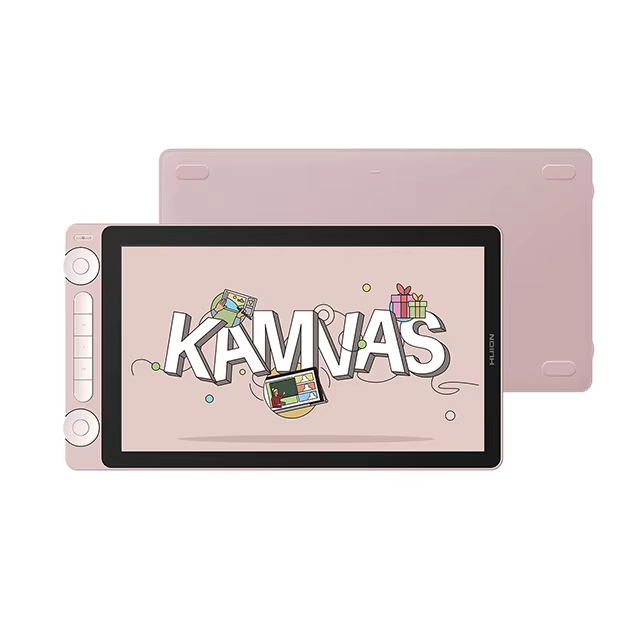
HUION Kamvas 16(2021) 15.6″ Drawing Monitor with 8192 Pen Pressure
HUION Kamvas 16(2021) is a 15.6-inch pen display with 120% sRGB color gamut and 8192 levels of pressure sensitivity for precise digital drawing.
- Battery-free electromagnetic resonance pen
- Compatible with Windows, macOS, Android, Linux
- Full laminated anti-glare matte screen
Professional Display for Creation
The HUION Kamvas 16(2021) features a 15.6" IPS screen with full lamination and an anti-glare matte finish, delivering vibrant visuals with 120% sRGB color gamut coverage and 16.7 million colors. With a resolution of 1920 x 1080 pixels and a 1000:1 contrast ratio, your artwork appears crisp and true to color.
Advanced Battery-Free Pen Technology
This drawing monitor includes the PW517 digital pen that uses battery-free electromagnetic resonance technology, ensuring uninterrupted creativity. It supports 8192 levels of pressure sensitivity and enables tilt recognition up to 60 degrees, allowing accurate, natural strokes with high precision.
- 8192 pressure sensitivity levels
- Tilt recognition Β±60 degrees
- Pen resolution of 5080 LPI
Enhanced Workflow and Compatibility
The Kamvas 16 supports Windows 7 or later, macOS 10.12 or newer, Android devices with USB3.1 DP1.2 or later, and Linux Ubuntu 20.04 LTS, accommodating diverse creative setups. It connects easily via a 3-in-1 cable or USB-C, and features 10 programmable press keys for custom shortcuts.
- Compatible with Windows, macOS, Android, Linux
- 10 programmable shortcut keys
- Includes USB-C to USB-C and Type-C cables
Compact and Lightweight Design
Measuring 423.52 x 253 x 12 mm and weighing 1.26 kg, the Kamvas 16 is portable and ideal for artists on the go. The optional ST300 adjustable stand enhances comfort during extended sessions.
- Slim 12mm profile
- Weighs 1.26 kg
- Optional adjustable stand ST300
Key Specifications
- Screen Size: 15.6 inch (Diagonal)
- Resolution: 1920 x 1080 (16:9) Full HD
- Color Gamut: 120% sRGB
- Pen Pressure Levels: 8192
- Pen Technology: Battery-Free Electromagnetic Resonance
- Report Rate: Over 220 PPS
- Contrast Ratio: 1000:1
- Surface Finish: Anti-glare matte film
What's in the Box
- HUION Kamvas 16 display tablet
- PW517 digital pen
- 3-in-1 USB-C cable
- USB-C to USB-C cable
- Artist glove and cleaning cloth
- Quick start guide
Discussion
There was a canvas 13, didn't squeeze the cat. Now there's a canvas 16. It's awesome, I don't even know what to say because I already had a smaller tablet like this. Luckily, take it without a stand only if you already have a stand.
Arrived quickly, the product is intact. Sometimes when I turn on the PC it goes crazy, but that's more likely a problem on my end. It's a bit inconvenient that the driver website only launches through a VPN (Β¬_Β¬)
A great drawing tablet. the worst shipping experience of my life. but hey, great drawing tablet
Very cool!!!!